Free Download for Windows

View an ad to download for free

Easily create photo slideshows to share your memories

Photo slideshows are probably the best way to share photos with family and friends, but the software tools to create them are often difficult to use.

Unlock your creativity with Adobe Stock

Get 10 images or 1 video with a free trial

Extra Photo to Video Converter makes a difference here by offering you a very easy-to-use app with which you can create attractive photo compositions in no time.

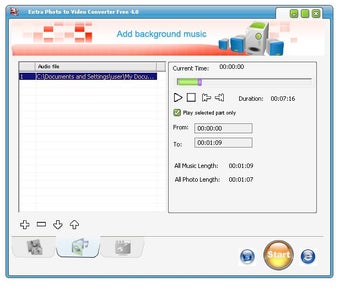
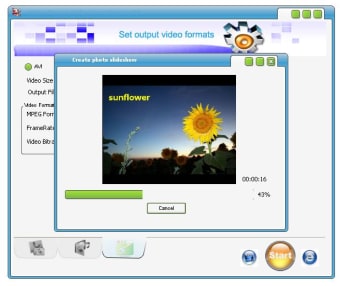
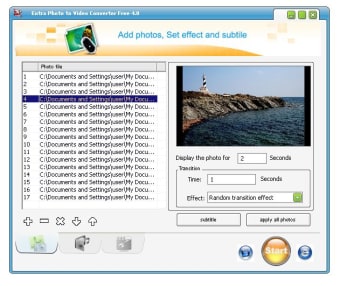
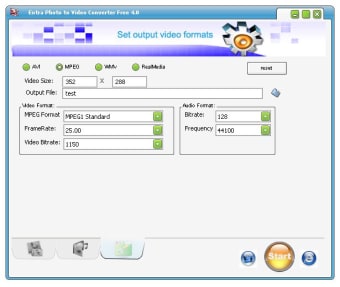
The program features an intuitive interface divided into three categories: one to choose images, another one to choose background and the last one to select the format of your slideshow.

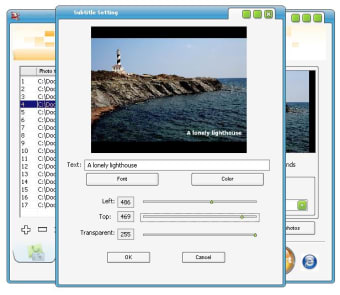
Advanced options enable you to add text captions (referred to as "subtitles" in the program), synchronize the soundtrack's length to that of the photos and also choose among a wide variety of transition options.

There's also the possibility of letting the program choose the transitions randomly.

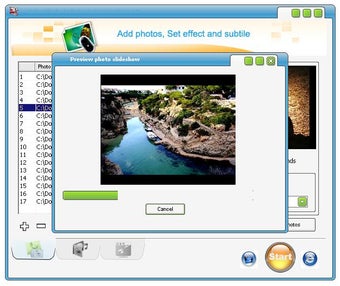
Extra Photo to Video Converter allows you to preview the slideshow before finally exporting it to the selected format.

Though the process of creation was very fast in itself, the program sometimes seems to freeze, especially when working with many photos. The final quality of your slideshow depends on the original images as well as the chosen format.

With Extra Photo to Video Converter, creating photo slideshows with music is a cinch: select the images, add the music, choose transition effects and you're done!



  • Pros

    • Very easy to use
    • Many transition effects to choose from
    • Support for text overlays
  • Cons

    • Basic, straightforward tool
    • Sometimes it slows down a lot
 0/6

App specs

  • Developer

  • License

    Free

  • Latest update

  • Platform

    Windows

  • OS

    Windows 2000

  • Language

    English

  • Downloads

    338.4K

    Last month's downloads

    • 10
  • Size

    9.23 MB

Program available in other languages


Free Download for PC

View an ad to download for free


User reviews about Extra Photo to Video Converter Free

3.4

3 reviews

Add review

Main reviews for you

  • Anonymous user

    Finally got it to work, however the end result is good, but couldn't find out how to save your project. Awesome.

  • Anonymous user

    Nice very helpful and easy to make photo to movie i am very thankfull for that

  • Anonymous user

    Doesn't work. the program has an option to prevent the gif looping, to play only once or a specific number of times. But when I tried it, it doesn't work. And when I asked Support they said ALL GIFS loop endlessly and it isn't possible to run them once.

More

You may also like

Alternatives to Extra Photo to Video Converter Free

Explore Apps

Latest articles

Laws concerning the use of this software vary from country to country. We do not encourage or condone the use of this program if it is in violation of these laws.
Softonic

Is Extra Photo to Video Converter Free safe?

100/100

Score result: Clean

This file passed a comprehensive security scan using VirusTotal technology. It is safe to download.

  • Virus free
  • Spyware free
  • Malware free
  • Verified by Security Partners

    VirusTotal logo

Scan Info

Last scan
Saturday, November 25, 2023
Scan provider
VirusTotal · Full report

File Integrity

File
Photo2Video.exe
SHA256
831b814fdb0c882e87976019c4250274fcaa86e7eecc18a0692e375ed2385f7e
SHA1
399152ed5ef09503263a036279d5ce5520036390

Softonic security commitment

Extra Photo to Video Converter Free has been thoroughly scanned by our advanced security systems and verified by industry-leading partners. This file comes from the official developer and has passed all our security checks, showing no signs of viruses, malware, or spyware. For more information, visit our Security and Trust Center

Signed in to Softonic as